Email Delivery
MME Mail to SMTP Pro
WordPress email that actually arrives — and tells you when it doesn't.
From $10 one-time
Route every message through a real mail service — and find out the moment sending breaks, not weeks later when a customer asks where their receipt went.
14-day money-back guarantee
01
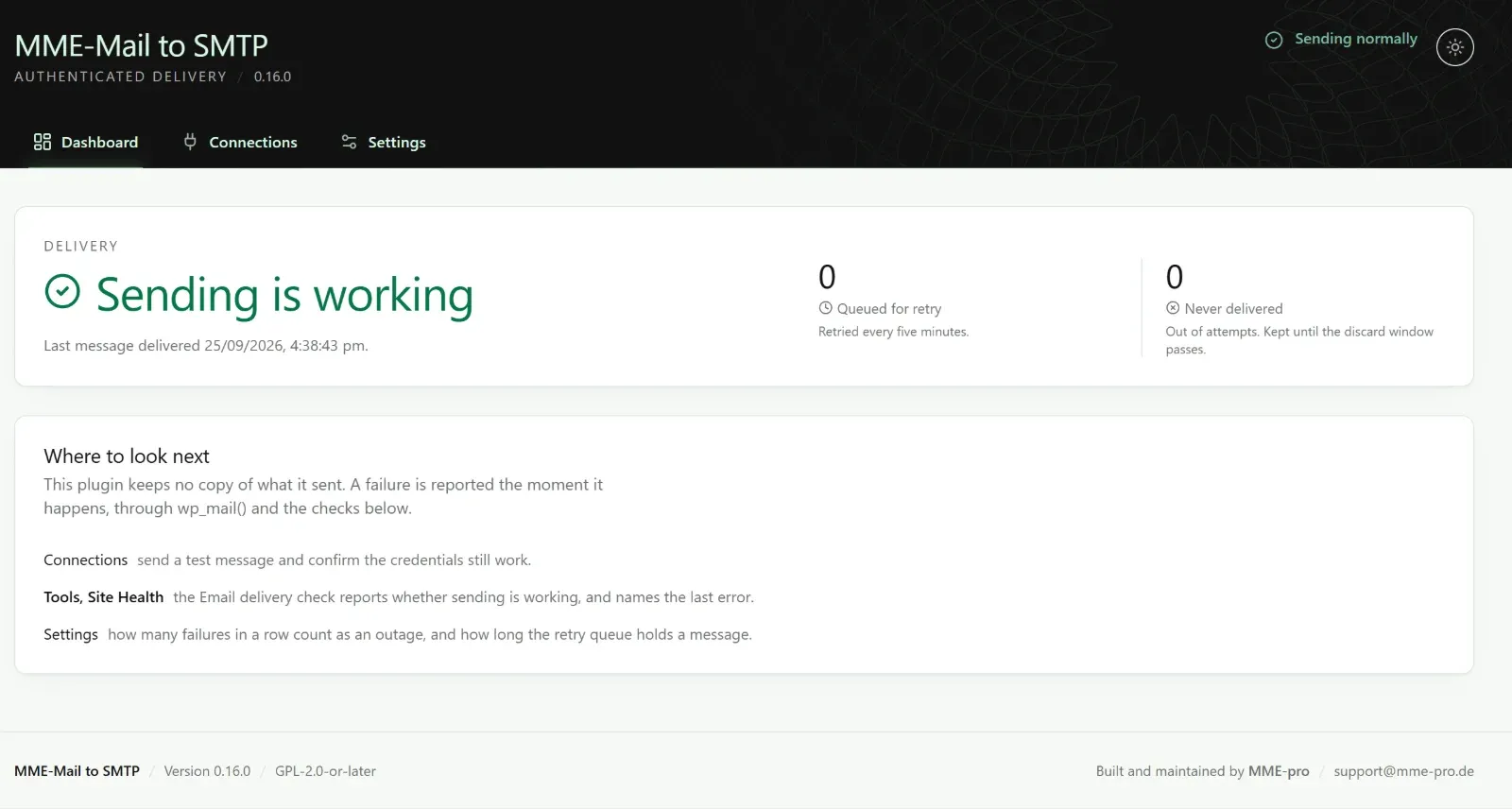
Is mail being delivered right now? The dashboard shows the last delivery, what is waiting in the retry queue, and what could not be delivered — at a glance.
Explore the plugin02
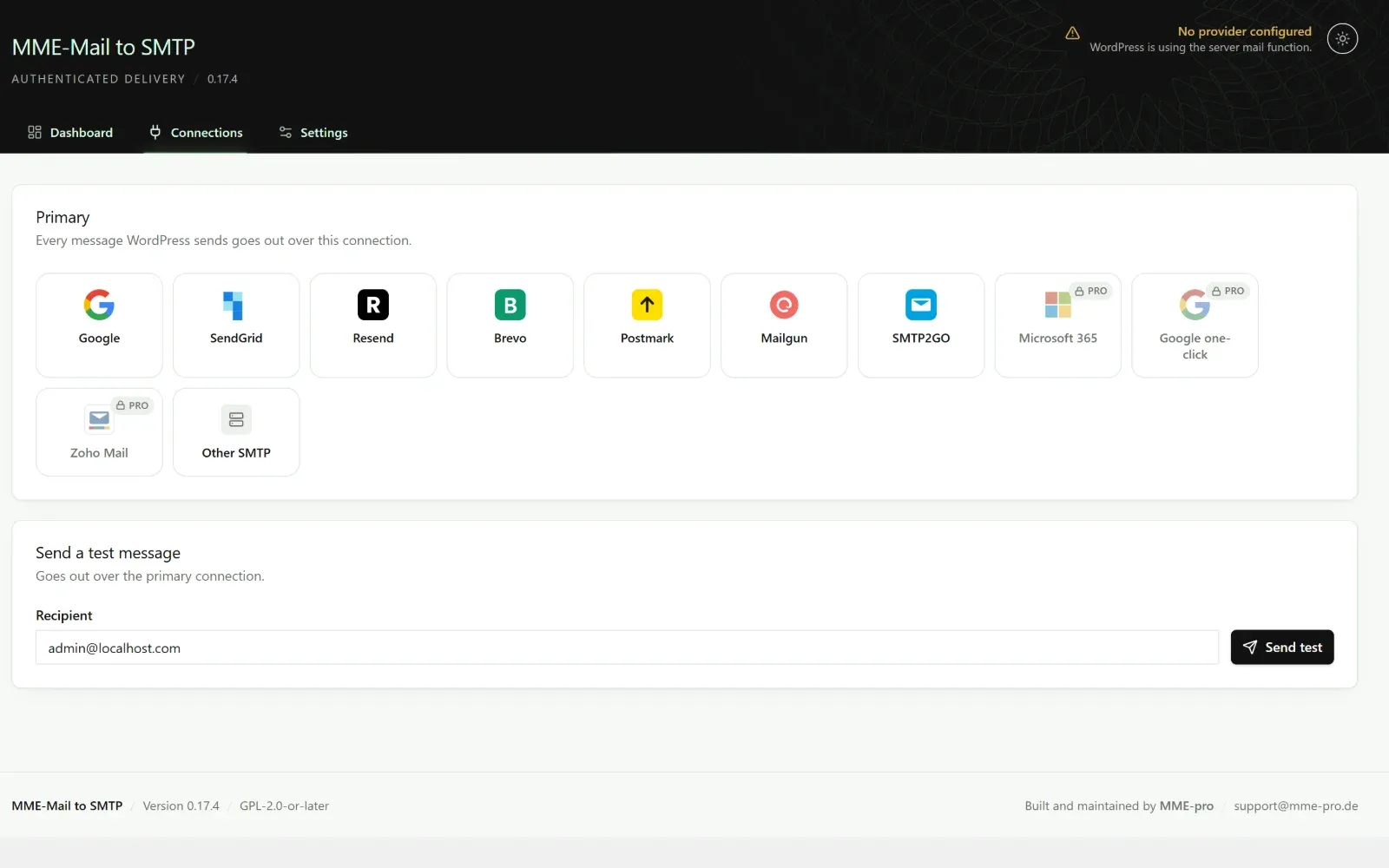
Google, SendGrid, Resend, Brevo, Postmark, Mailgun, SMTP2GO or any SMTP server — and with Pro, Microsoft 365, Amazon SES and Zoho. Choose one and every message goes out over it.
Explore the plugin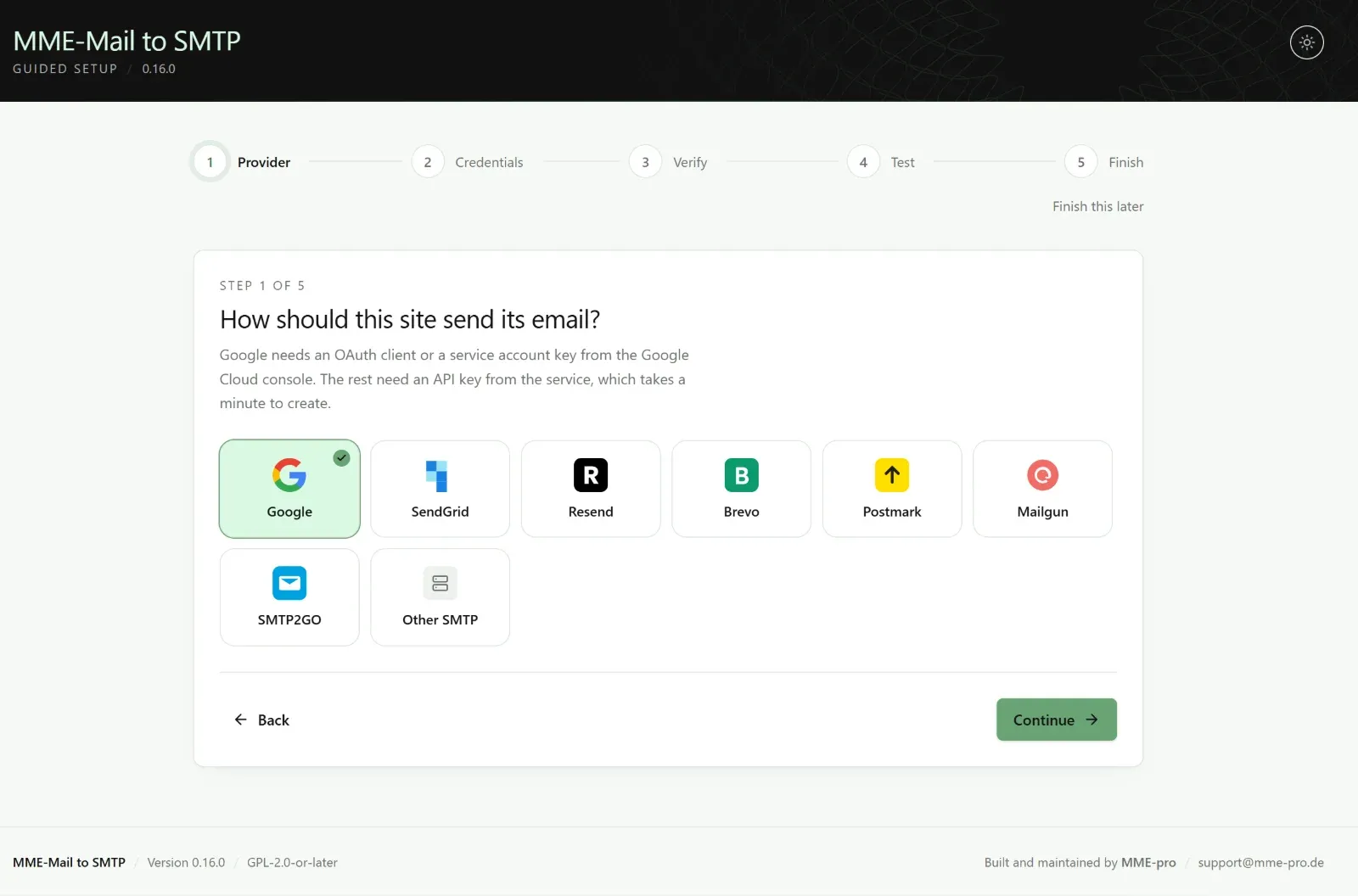
03
Choose a service, enter credentials, verify them against the provider and send one real message — in that order, so you know it works before you rely on it.
Explore the plugin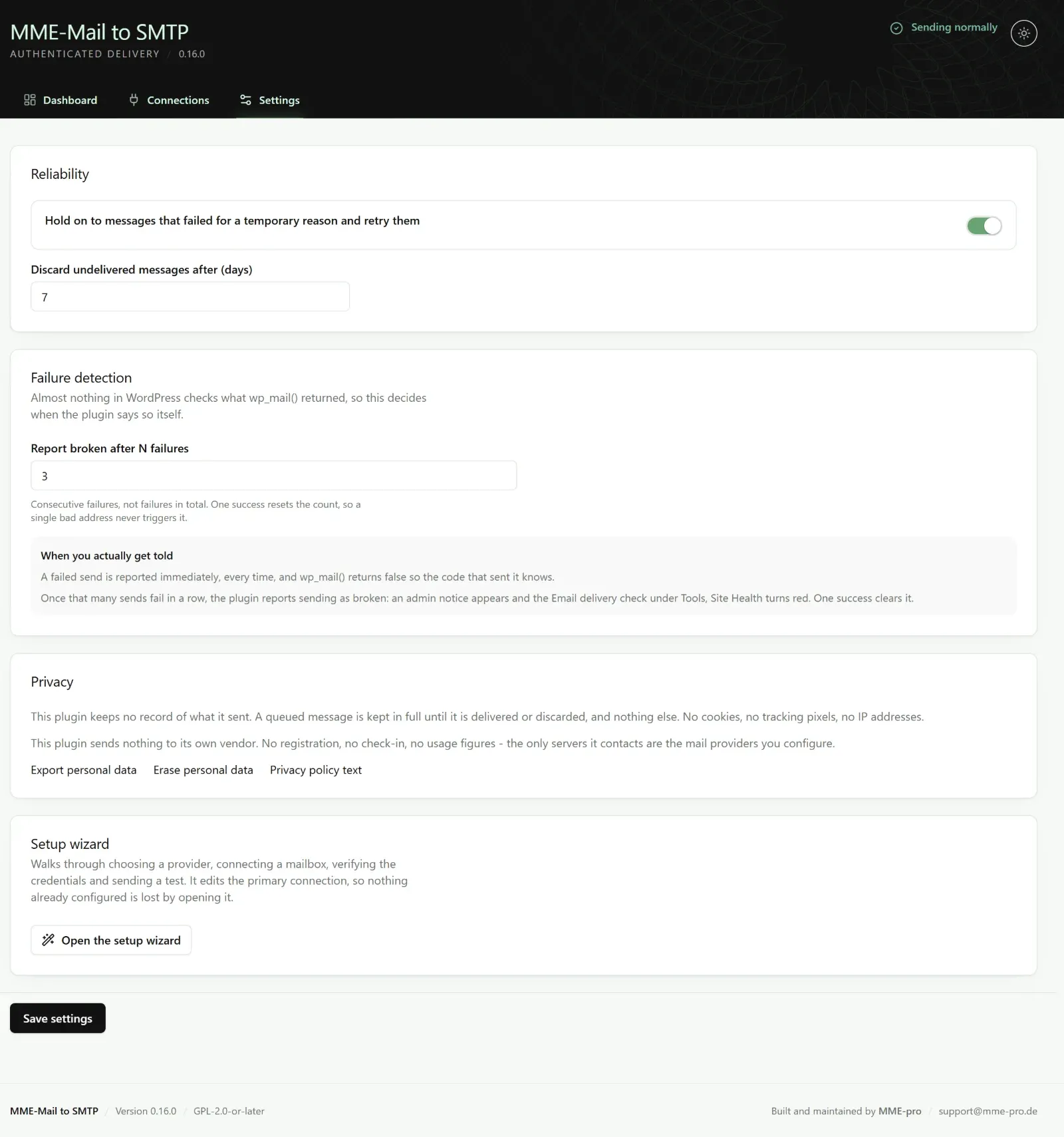
04
Decide how many failures in a row count as an outage and how long the retry queue holds a message. When sending breaks, an admin notice appears and Site Health turns red.
Explore the pluginStart today with a 14-day money-back guarantee.
Get StartedPro Features
Pro builds on the free plugin with more mail services, deeper visibility and automatic failover.
Send through Microsoft 365 and Outlook mailboxes, alongside every connection in the free plugin.
Two more high-volume mail services, ready to connect with their own credentials.
Connect a Gmail or Google Workspace mailbox without setting up your own OAuth client.
An optional record of what your site sent, for the sites that need an audit trail.
See whether important messages were opened and their links clicked.
When the primary service fails, mail goes out over a second connection instead.
Send different kinds of mail through different connections.
Get told the moment sending starts failing — not when a customer complains.
Stay inside your provider's sending limits automatically.
Pay once and use it for good. Pick the plan that matches how many sites you run.
For one WordPress site.
$10one-time
Use on1 site
Buy BasicFor freelancers and small agencies.
$39one-time
Use on5 sites
Buy ProfessionalFor agencies, on as many sites as you run.
$299one-time
Use onUnlimited sites
Buy UltimateOnly need the basics? The core plugin is free. Get the Free Plugin.
Catalog
Email Delivery
WordPress email that actually arrives — and tells you when it doesn't.
From $10 one-time
From $299 one-time
Yes. Pro is an add-on — it extends MME-Mail to SMTP rather than replacing it. Install the free plugin, then install and activate Pro and enter your license.
Yes. Everything that sends through wp_mail() — WooCommerce, Contact Form 7, Gravity Forms, WPForms and almost every other plugin — goes out over your connection.
No. WordPress lets exactly one plugin take over sending. The plugin detects the common ones and tells you on screen.
No. Every plan is a one-time purchase with lifetime updates. Basic covers 1 domain, Professional 5 and Ultimate unlimited; moving a site to a new domain frees the old one automatically.
On the Google API path, about 2 MB. Oversized messages are rejected before sending with a clear message, rather than failing on the wire.