Email Delivery · WordPress Plugin
MME Mail to SMTP Pro
WordPress email that actually arrives — and tells you when it doesn't.
From $10 one-time · 14-day money-back guarantee
Pro is an add-on for the free MME-Mail to SMTP plugin, which must be installed and active.
- Requires WordPress
- 6.5+
- Tested up to
- 7.1
- Requires PHP
- 8.0+
- License
- 1 site – Unlimited sites
Overview
Why your site needs it
WordPress sends email with wp_mail(), which hands each message to the web server’s own mail function. On most hosts that means it lands in spam or never arrives — and nothing on the site says so, because almost no WordPress code checks what wp_mail() returned.
MME-Mail to SMTP fixes both halves of that problem: it routes your mail through a real mail service, and it makes failure visible. Pro adds the connections, routing and visibility that busy sites need.
How It Works
- Install the free MME-Mail to SMTP plugin, then install and activate Pro.
- The setup wizard opens on first run. Choose a mail service and enter its credentials — or sign in with Google in one click.
- Send the test message the wizard offers. If it arrives, you’re done.
Credentials can live in wp-config.php instead of the database; anything stored in the database is encrypted with libsodium.
See Mail to SMTP Pro in action.
01
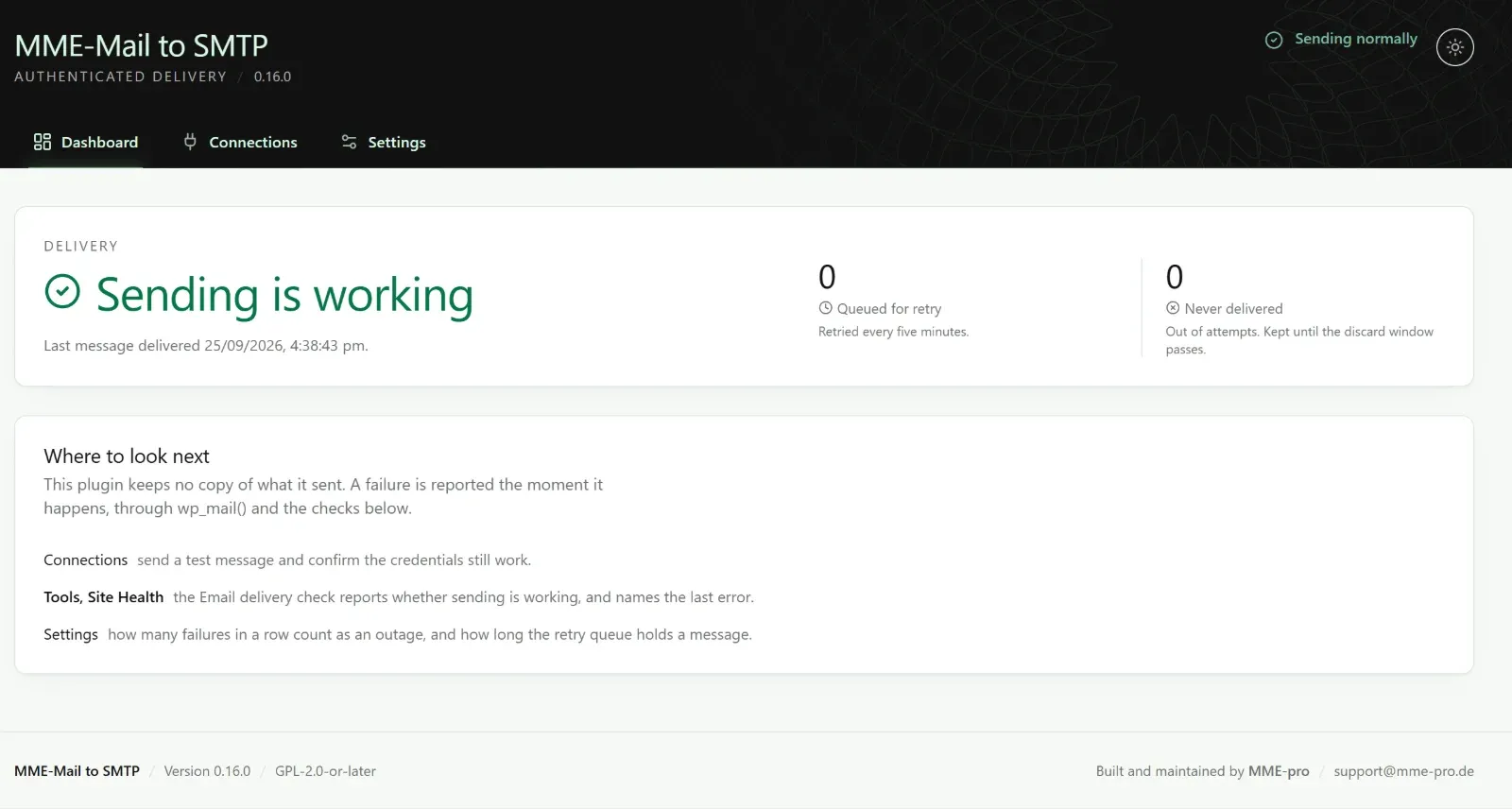
A dashboard that answers one question
Is mail being delivered right now? The dashboard shows the last delivery, what is waiting in the retry queue, and what could not be delivered — at a glance.
02
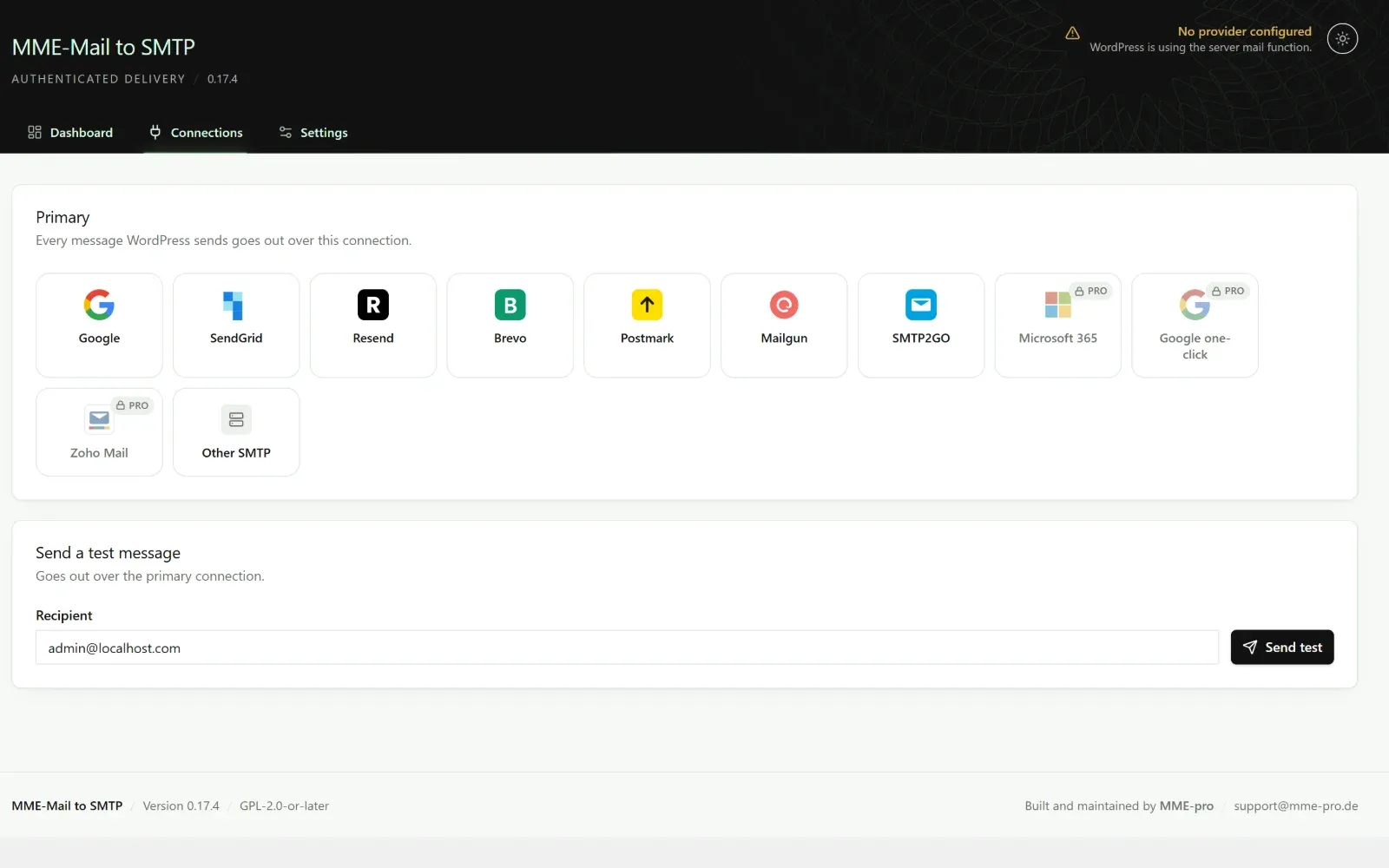
Pick a mail service, send a test
Google, SendGrid, Resend, Brevo, Postmark, Mailgun, SMTP2GO or any SMTP server — and with Pro, Microsoft 365, Amazon SES and Zoho. Choose one and every message goes out over it.
03
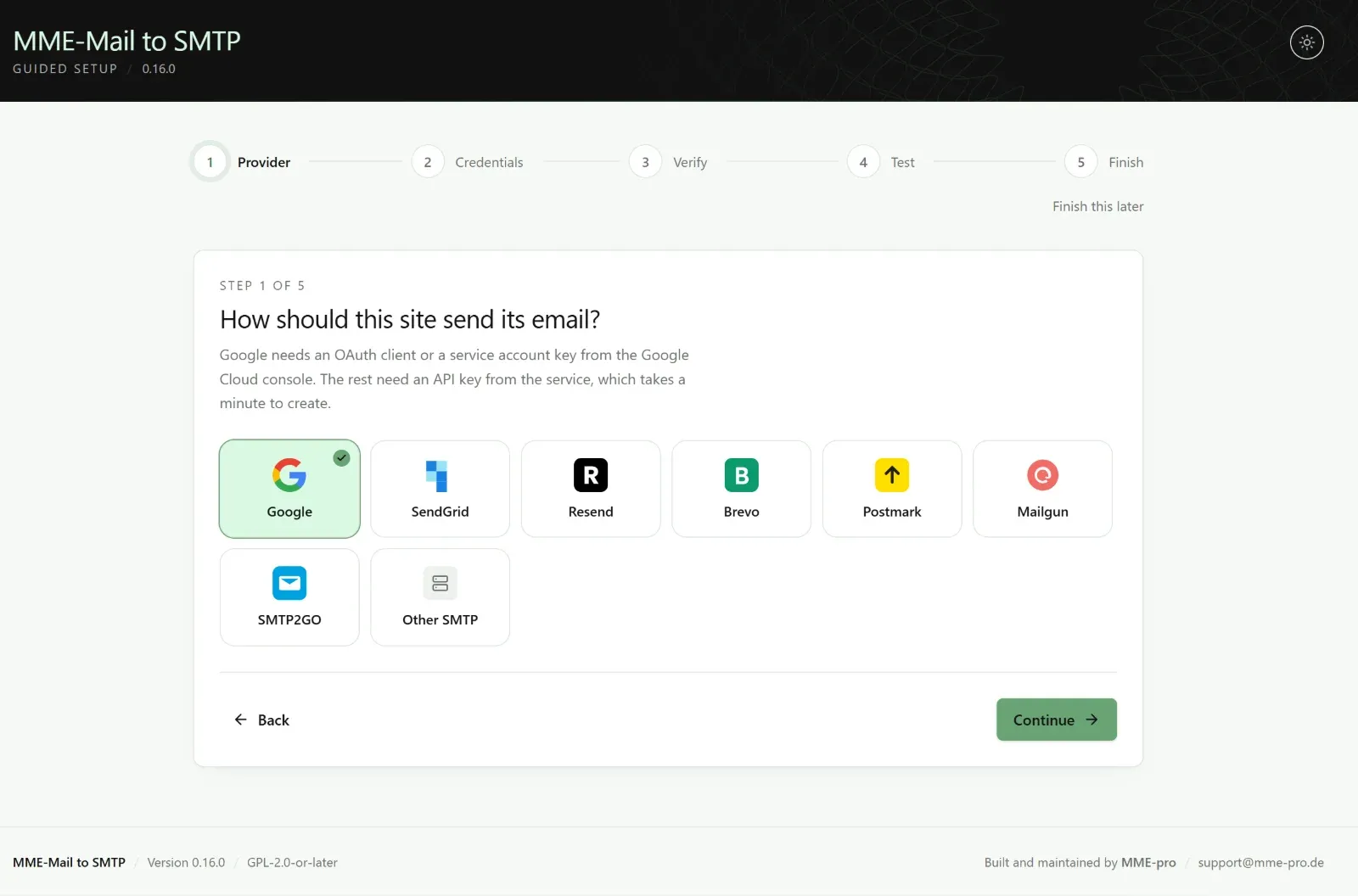
Guided setup in five steps
Choose a service, enter credentials, verify them against the provider and send one real message — in that order, so you know it works before you rely on it.
04
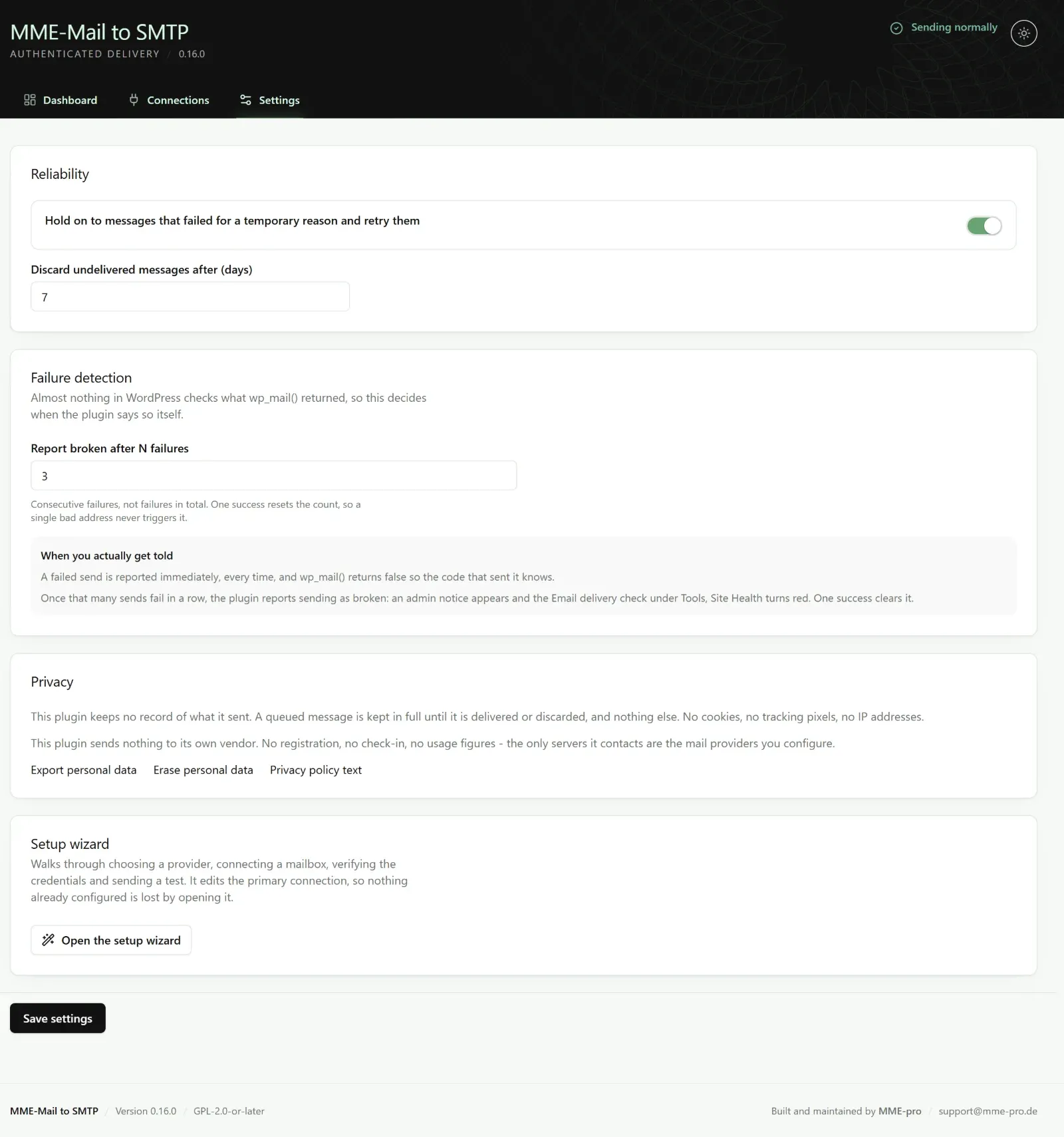
Failure detection you control
Decide how many failures in a row count as an outage and how long the retry queue holds a message. When sending breaks, an admin notice appears and Site Health turns red.
Stop losing WordPress email.
Set it up in minutes. Backed by a 14-day money-back guarantee.
Buy for $10Pro Features
Everything Pro adds.
Microsoft 365 & Outlook
Send through Microsoft 365 and Outlook mailboxes, alongside every connection in the free plugin.
Amazon SES & Zoho
Two more high-volume mail services, ready to connect with their own credentials.
One-Click Google Sign-In
Connect a Gmail or Google Workspace mailbox without setting up your own OAuth client.
Email Logs
An optional record of what your site sent, for the sites that need an audit trail.
Open & Click Tracking
See whether important messages were opened and their links clicked.
Backup Connection
When the primary service fails, mail goes out over a second connection instead.
Smart Routing
Send different kinds of mail through different connections.
Failure Alerts
Get told the moment sending starts failing — not when a customer complains.
Rate Limiting
Stay inside your provider's sending limits automatically.
Compare
Free vs. Pro
| Feature | Free | Pro |
|---|---|---|
| Google, SendGrid, Mailgun, Brevo, Postmark, Resend, SMTP2GO & any SMTP | Included | Included |
| Persistent retry queue | Included | Included |
| Clear, actionable error messages | Included | Included |
| Site Health check & outage notice | Included | Included |
| Encrypted credentials (libsodium) or wp-config constants | Included | Included |
| Microsoft 365 / Outlook, Amazon SES & Zoho | Not included | Included |
| One-click Google sign-in | Not included | Included |
| Email logs | Not included | Included |
| Open & click tracking | Not included | Included |
| Backup connection & smart routing | Not included | Included |
| Failure alerts & rate limiting | Not included | Included |
| Support | Community | Priority email |
Pricing
Choose your plan.
Every plan includes every Pro feature. Pay once: lifetime updates, no subscription.
Basic
For one WordPress site.
$10one-time
Use on1 site
Buy Basic- Every Pro connection and feature
- 1 domain
- Lifetime updates
- Email support
- 14-day money-back guarantee
Professional
For freelancers and small agencies.
$39one-time
Use on5 sites
Buy Professional- Every Pro connection and feature
- Up to 5 domains
- Lifetime updates
- Priority email support
- 14-day money-back guarantee
Ultimate
For agencies, on as many sites as you run.
$299one-time
Use onUnlimited sites
Buy Ultimate- Every Pro connection and feature
- Unlimited domains
- Lifetime updates
- Priority email support
- 14-day money-back guarantee
Questions about plans or invoices? Contact sales.
FAQ
Questions & Answers
Do I need the free plugin too?
Yes. Pro is an add-on — it extends MME-Mail to SMTP rather than replacing it. Install the free plugin, then install and activate Pro and enter your license.
Does it work with WooCommerce and form plugins?
Yes. Everything that sends through wp_mail() — WooCommerce, Contact Form 7, Gravity Forms, WPForms and almost every other plugin — goes out over your connection.
Can another mailer plugin be active at the same time?
No. WordPress lets exactly one plugin take over sending. The plugin detects the common ones and tells you on screen.
Does my license expire?
No. Every plan is a one-time purchase with lifetime updates. Basic covers 1 domain, Professional 5 and Ultimate unlimited; moving a site to a new domain frees the old one automatically.
How large can attachments be?
On the Google API path, about 2 MB. Oversized messages are rejected before sending with a clear message, rather than failing on the wire.